Reports
Reports — fiscal-year overview
Review totals for tax season: by status, tax group, and tag. ZIP export is separate under Export.
After you sign in, open Reports in the bottom nav, pick a fiscal year, and review the overall amount plus breakdowns by status, tax group, and tag (void bills are excluded). Use it before year-end to spot gaps. For a ZIP with bills.csv, full receipt images, report.pdf, and charts.pdf, use Export — Reports does not download the ZIP.
Sample report screenshots
Anonymized mock/demo screenshots — account names are masked as Demo Company, not real customer data.
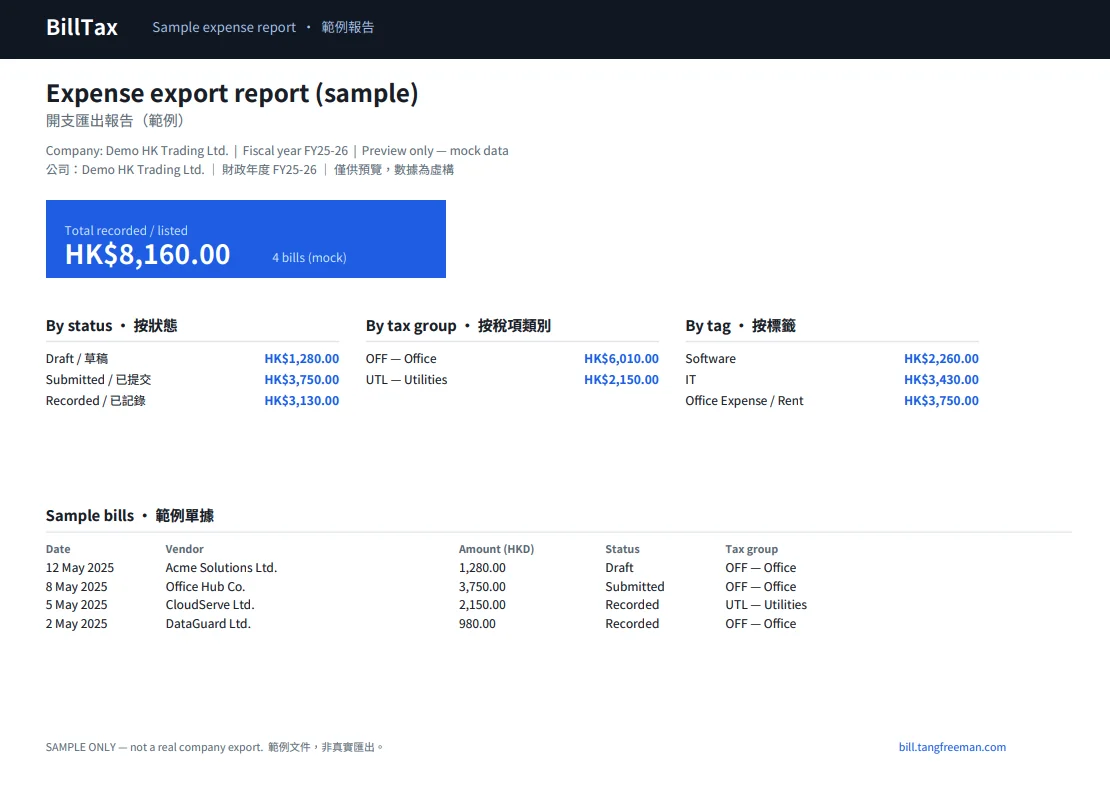
Sample web report (Demo HK Trading)
On-screen fiscal-year overview for mock Demo HK Trading: totals by status, tax group, and tag, plus a sample bills table. Anonymized demo data only.

Export PDF — summary page
Cover/summary page of the export PDF: fiscal-year range and totals by tax group, vendor, and tag. Demo/anonymized sample.
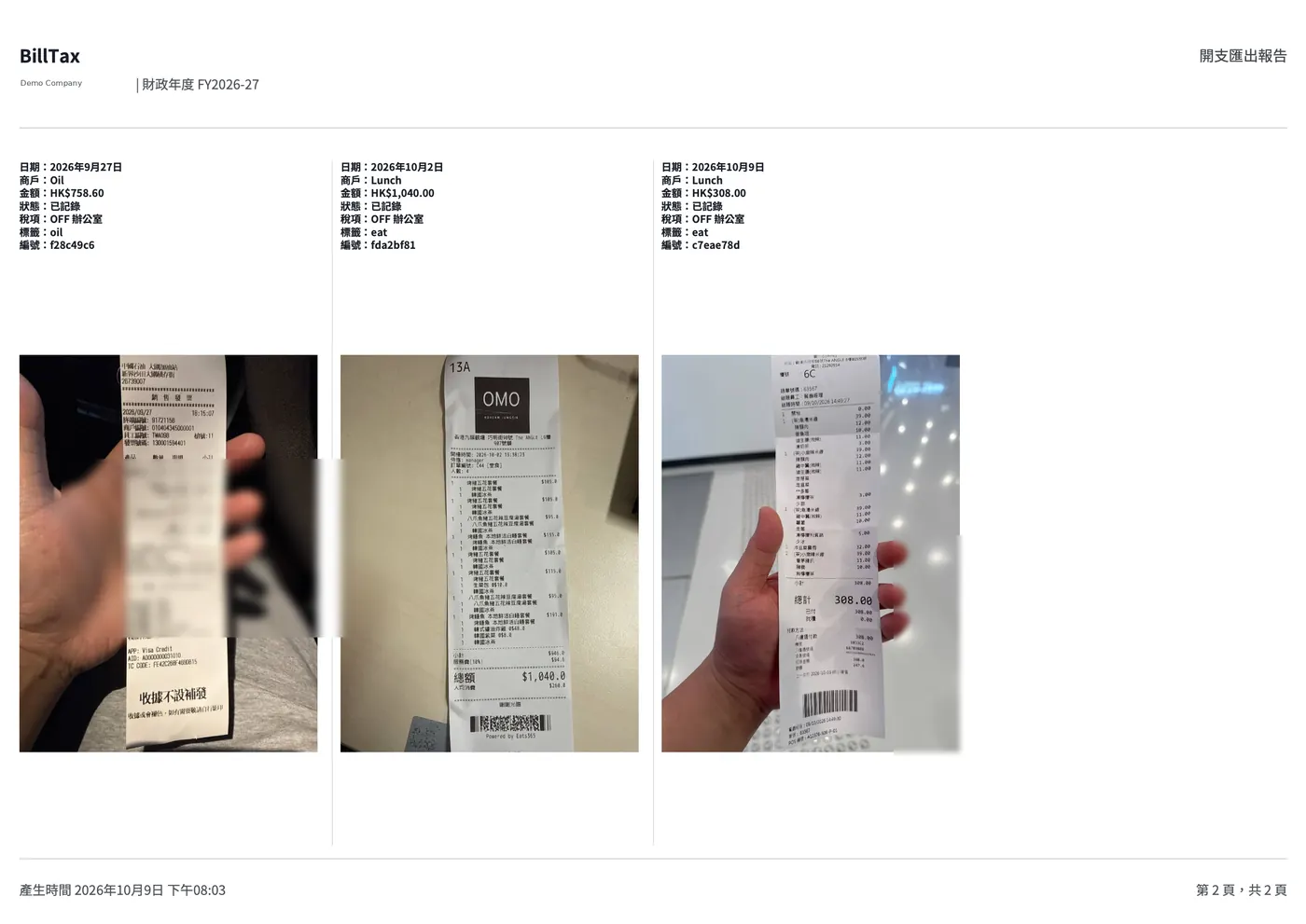
Export PDF — with receipt photos
Second PDF page listing each bill with its receipt photo — ready to hand to an accountant. Demo/anonymized sample.
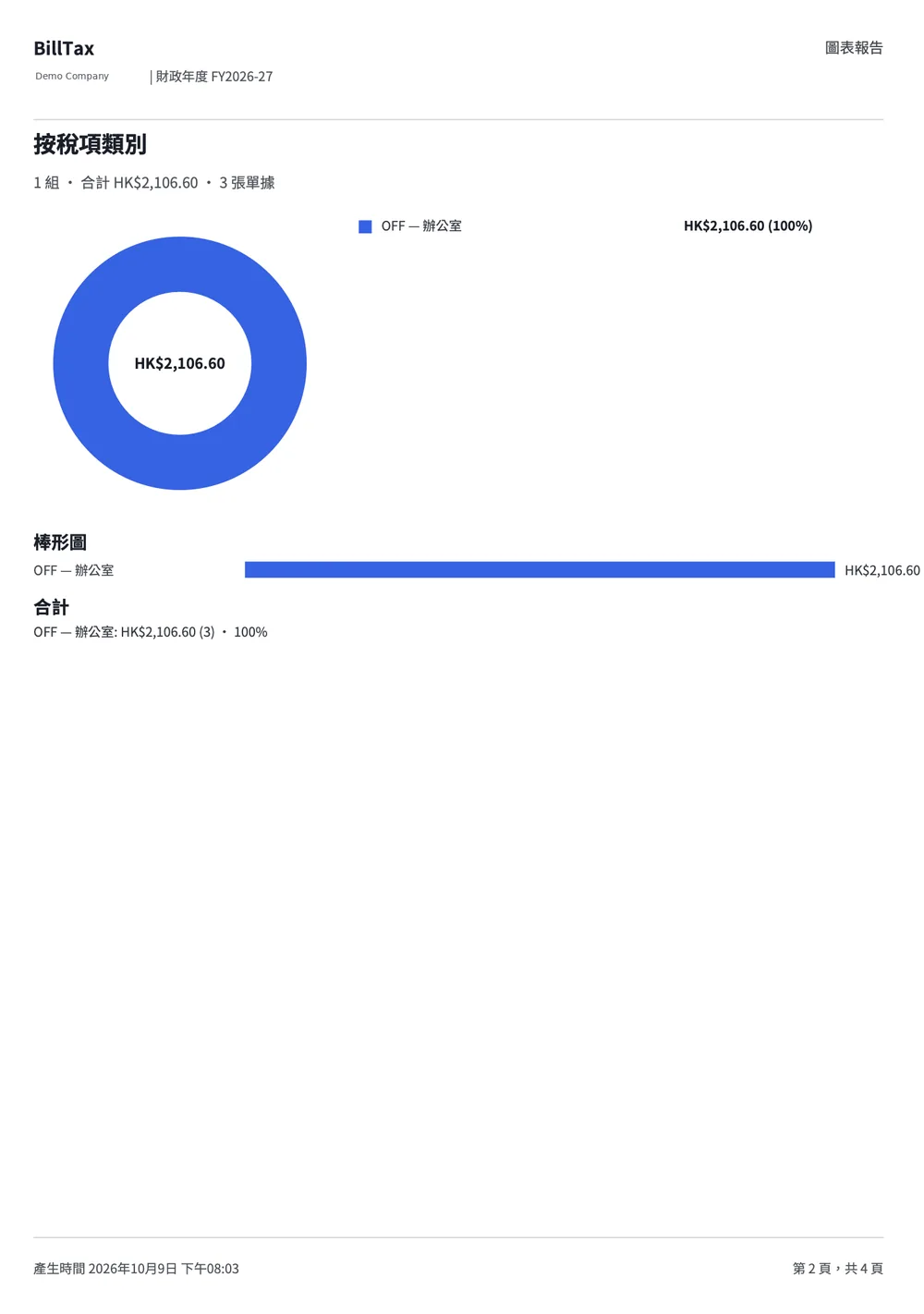
Charts report PDF
Charts PDF with donut and bar breakdowns by tax group (and similar categories). Demo/anonymized sample.